
101 C1ZZL3 Gnarly
Dual-oscillator phase distortion synth voice with recipe wave banks, named Web MIDI sound presets, separate oscillator amplitude/phase-distortion/pitch envelopes, CZ patch import support, and an eight-knob MIDI CC performance block. An alternative Gnarly_C1ZZL3_8mu.uf2 firmware retains the same sound engine and Web MIDI editor while adding Music Thing 8mu v2 performance and custom-envelope editing through eight bundled controller banks. Bank 1 provides performance controls, Banks 2--7 edit the six envelope lanes, and Bank 8 selects the custom slot and adjusts lane/master depths. Lane-bank buttons select level/time editing, save or revert. Only saved custom sound-preset slots are editable; factory envelopes remain read-only and gesture mappings are disabled.
Panel
 Shared PitchOscillator 1 Phase DistortionOscillator 1 Recipe SlotPitch CVPD CVWave CVUnusedEnvelope TrigOscillator 1Oscillator 2OffOffOffOff
Controls
Shared Pitch
Shared pitch for both oscillators.
Oscillator 1 Phase Distortion
Phase distortion amount for oscillator 1.
Oscillator 1 Recipe Slot
Selects oscillator 1 recipe slot in the current bank.
Oscillator 2 Page: Edit oscillator 2. Main sets oscillator 2 interval or spread around unison, X sets oscillator 2 phase distortion, and Y selects oscillator 2 recipe slot in the current bank.
Oscillator 1 Page: Edit oscillator 1. Main sets shared pitch, X sets oscillator 1 phase distortion, and Y selects oscillator 1 recipe slot in the current bank.
Performance / Bank Page: Hold down to edit performance controls. Main selects recipe bank, X sets ring modulation, and Y sets noise or grit.
Inputs & Outputs
Inputs
Outputs
Inputs
Pitch CV
1V/oct pitch modulation in synth mode.
PD CV
Adds phase-distortion modulation to the active synth voice.
Wave CV
Adds recipe-slot or wave modulation to the active synth voice.
Unused
Unused in this no-Turing Gnarly firmware.
Envelope Trig
Triggers selected envelopes; held gates sustain or loop supported envelopes and gate-off lets the envelope complete.
Outputs
Oscillator 1
Phase-distortion oscillator 1 using Amp1, PD1, Pitch1, and oscillator 1 recipe settings.
Oscillator 2
Phase-distortion oscillator 2 using Amp2, PD2, Pitch2, and oscillator 2 recipe settings.
Off
Held low in this no-Turing Gnarly firmware.
Off
Held low in this no-Turing Gnarly firmware.
Off
Held low in this no-Turing Gnarly firmware.
Off
Held low in this no-Turing Gnarly firmware.
README
C1ZZL3 Gnarly
C1ZZL3 Gnarly is a dual-oscillator phase-distortion synth card for the Music Thing Modular Workshop Computer.
Gnarly is the most complexVersion of C1ZZL3. It keeps the Web MIDI sound-preset workflow from the advanced C1ZZL3 experiments, but removes the Turing machine panel mode so the hardware controls can focus on oscillator editing, recipe wave banks, ring modulation, and noise/grit.
For the user-facing card guide, see:
CARD_README.md
Status
This folder contains the stable Gnarly card 101 build.
release: 101 / Gnarly protocol v11 stable
draft: false
Core C1ZZL3 remains card 84. Gnarly is prepared here as a separate card identity because its hardware behaviour is substantially different.
Firmware Builds
The standard Gnarly firmware is:
uf2/C1ZZL3_GNARLY_V11.uf2
The alternative firmware for use with an 8mu v2 controller is:
uf2/Gnarly_C1ZZL3_8mu.uf2
Flash one of these UF2 files, not both. Their SHA-256 checksums are in
uf2/SHA256SUMS.txt.
What It Does
- Runs two phase-distortion oscillator lanes.
- Uses separate Amp1/Amp2, PD1/PD2, and Pitch1/Pitch2 envelopes.
- Supports named sound presets saved on the card.
- Saves either envelope-only data or full sound presets with performance settings.
- Uses four recipe wave banks for simple and CZ-like oscillator pairings.
- Reads and writes settings through the Gnarly Web MIDI Lab.
- Imports Casio CZ
.syxpatches through the shared C1ZZL3 Import Lab. - Removes Turing CV, Turing pulse, and generated Turing MIDI behaviour.
Hardware Controls
Switch middle: oscillator 1 page.
- Main: shared pitch
- X: oscillator 1 phase distortion
- Y: oscillator 1 recipe slot in the selected bank
Switch up: oscillator 2 page.
- Main: oscillator 2 base interval/spread, centred at unison
- X: oscillator 2 phase distortion
- Y: oscillator 2 recipe slot in the selected bank
Switch down hold: performance and bank page.
- Main: recipe bank
- X: ring modulation
- Y: noise/grit
Recipe Banks
| Bank | Sound character |
|---|---|
| 1 | Simple single-wave families. |
| 2 | Warmer compound pairings with double-sine support. |
| 3 | Brighter resonant/windowed pairings. |
| 4 | Odd/import-faithful CZ-style pairings for translated patches. |
Each oscillator recipe slot selects one entry from the current bank. Bank 1 contains the eight plain C1ZZL3 wave families; Banks 2–4 use fixed compound recipes.
| Slot | Bank 1: simple waves | Bank 2: warm compounds | Bank 3: resonant compounds | Bank 4: CZ-style pairings |
|---|---|---|---|---|
| 1 | Saw |
Double sine + Saw |
Resonant saw window + Saw |
Saw pulse + Double sine |
| 2 | Square |
Double sine + Square |
Resonant triangle window + Square |
Resonant triangle window + Double sine |
| 3 | Narrow pulse |
Saw + Double sine |
Resonant trapezoid window + Narrow pulse |
Saw pulse + Narrow pulse |
| 4 | Double sine |
Square + Double sine |
Resonant saw window + Saw pulse |
Resonant trapezoid window + Double sine |
| 5 | Saw pulse |
Narrow pulse + Double sine |
Resonant triangle window + Saw pulse |
Resonant saw window + Saw pulse |
| 6 | Resonant saw window |
Saw pulse + Double sine |
Resonant trapezoid window + Saw pulse |
Narrow pulse + Resonant trapezoid window |
| 7 | Resonant triangle window |
Resonant triangle window + Double sine |
Resonant saw window + Narrow pulse |
Square + Resonant saw window |
| 8 | Resonant trapezoid window |
Resonant trapezoid window + Double sine |
Resonant trapezoid window + Square |
Resonant triangle window + Narrow pulse |
These are not equal 50/50 blends. Each recipe leans toward its first waveform, with the second waveform mixed in at a fixed amount chosen in the firmware. That is why some pairings feel like a coloured version of one family rather than a completely even hybrid.
On the switch-down page, LEDs 1 and 2 show the selected recipe bank:
- Bank 1: LEDs 1 and 2 off.
- Bank 2: LED 1 on.
- Bank 3: LED 2 on.
- Bank 4: LEDs 1 and 2 on.
MIDI
Gnarly uses CC20 to CC27 as an eight-knob performance block. CC1 is also
kept as oscillator 1 phase distortion so a mod wheel remains useful.
CC1: oscillator 1 phase distortion, mod-wheel friendly.CC20: oscillator 1 recipe slot.CC21: oscillator 2 recipe slot.CC22: ring modulation amount.CC23: recipe bank.CC24: oscillator 2 interval/spread.CC25: oscillator 2 phase distortion.CC26: noise/grit amount.CC27: oscillator 1 phase distortion, for eight-knob controllers.
The C1ZZL3 Envelope Lab has a hidden Developer-mode MIDI CC Test Suite for checking these messages without a hardware controller. It sends individual CC values, a neutral reset, and sweep tests through the selected Web MIDI output.
If You Have An 8mu
Gnarly_C1ZZL3_8mu.uf2 is an alternative Gnarly firmware that exposes the
envelope lanes on a Music Thing 8mu v2. It retains the same Gnarly sound engine
and Web MIDI editor, but receives its controls from the 8mu instead of using
only the editor.
The alternative source is self-contained in 8mu/, so it can be developed
without changing the standard Gnarly source in this folder. The 8mu bank files
are in 8mu_banks/; import them one at a time with the
16n Faderbank editor. See
8mu_banks/README.md for the exact import and control guide.
- Bank 1 controls the regular Gnarly performance parameters. Its A--D buttons send unused CCs 124--127 and therefore do not play notes.
- Banks 2--7 edit stages 1--8 of Amp1, Amp2, PD1, PD2, Pitch1, and Pitch2.
- Bank 8 selects the editable custom envelope slot and sets the six lane depths plus master depth.
- In a lane bank, Buttons A/B select level/time, C saves, and D reverts.
Only saved custom sound-preset slots are editable; factory envelopes remain read-only. Gesture mappings are intentionally disabled. The 8mu control path, save/revert, persistence, and factory-envelope protection have been hardware validated.
Web MIDI Editor
Hosted editor path after Workshop deployment:
https://computer.musicthing.co.uk/programs/101-gnarly-c1zzl3/web/index.html
Local editor from this release folder:
python3 -m http.server 5177 --directory web
Open:
http://localhost:5177
Use Chrome or another browser with Web MIDI and SysEx support. When Web MIDI connects, the editor automatically checks card settings and saved envelope slots so the detected firmware type is shown without requiring a manual read first.
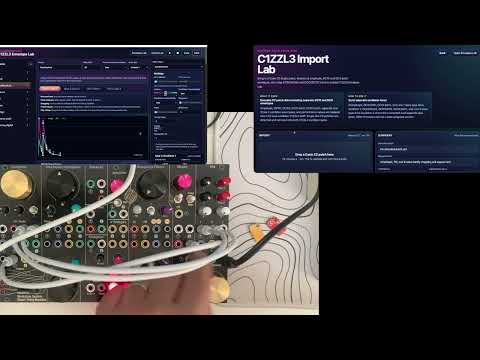
C1ZZL3 Import Lab
Hosted import lab path after Workshop deployment:
https://computer.musicthing.co.uk/programs/101-gnarly-c1zzl3/web/import/index.html
Local import lab from this release folder:
python3 -m http.server 5178 --directory web/import
Open:
http://localhost:5178
Use this page to decode Casio CZ .syx patches into C1ZZL3 drafts with separate
oscillator envelopes, pitch lanes, oscillator wave choices, performance values,
and recipe-bank-compatible settings.
Build
cmake -S . -B build -DPICO_NO_PICOTOOL=1
cmake --build build -j2
The build creates:
build/C1ZZL3_GNARLY_V11.uf2
To build the alternative 8mu firmware:
cmake -S 8mu -B build-8mu -DPICO_NO_PICOTOOL=1
cmake --build build-8mu -j2
This creates build-8mu/Gnarly_C1ZZL3_8mu.uf2.
License Notes
This project is released under the MIT License. The included computercard.h
hardware helper is ComputerCard by Chris Johnson and is also MIT licensed; keep
its MIT notice present when copying firmware files into releases or experiments.
USB MIDI host support includes the MIT-licensed rppicomidi files, copyright 2023 rppicomidi. Their copyright and licence notices are retained in the corresponding source files.
Firmware distribution notices
See THIRD_PARTY_NOTICES.md for dependency
copyright and license texts. Keep the accompanying NOTICE.txt with
each UF2 when redistributing it.