
369 Asterisk
A six-track generative drum synthesizer for the Music Thing Modular Workshop Computer. Synthesized drums, bass, and melodic percussion draw from 14 synthesis algorithms. Three knobs shape the sound, and one flick of the switch generates a new scene. The web editor adds per-track mixing, delay time and Auto Pan, scale selection, single-track randomization, and patch save/recall as files on your computer.
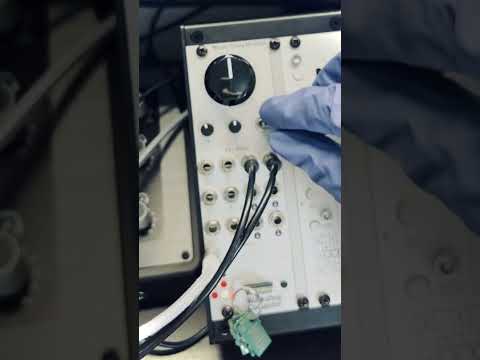
Panel
 FilterDecayHeatFilter CVDecay CVClockResetLeftRightEnvelope 1Envelope 2ClockKick trigger
Controls
Filter
Low-pass to the left, unfiltered in the center, high-pass to the right.
Decay
Approximately 0.25x to 4x decay, with 1x at the center. Changes apply to new hits.
Heat
Saturation, density, and grit with level compensation.
Pause: Stops new hits while existing tails ring out. Return to center to restart from the beginning.
Play: Runs the sequencer.
Randomize: Generates new sounds and patterns once on entry. Holding down does not repeatedly randomize.
Randomize: Flick down to create a new combination; it takes over on the next clock step after preparation. Knob settings remain unchanged.
Inputs & Outputs
Inputs
Outputs
Inputs
Filter CV
Adds modulation to the Main Filter setting.
Decay CV
Adds modulation to the X Decay setting.
Clock
Each rising edge advances one sixteenth note (4 PPQN). A plugged-in cable takes priority over USB MIDI clock.
Reset
Restarts the sequence from the beginning on the next clock step.
Outputs
Left
Stereo left audio output.
Right
Stereo right audio output.
Envelope 1
Fixed-decay trigger envelope from the kick track.
Envelope 2
Fixed-decay trigger envelope from a melodic percussion track.
Clock
Sixteenth-note clock pulses.
Kick trigger
Triggers from the kick track.
README
Asterisk
A six-track generative drum synthesizer for the Music Thing Modular Workshop Computer.
Asterisk creates complete rhythmic patterns from synthesized drums, bass, and melodic percussion. Its six tracks draw from 14 synthesis algorithms, including FM, additive synthesis, wavefolding, subtractive bass, and several drum models.
Three knobs shape the sound. One flick of the switch creates a new musical idea.
Controls
| Control | Function |
|---|---|
| Main — Filter | Turn left for low-pass filtering, right for high-pass filtering. The center position leaves the sound unfiltered. |
| X — Decay | Shorten or extend the sounds, from approximately ¼× to 4× their original decay. Center is 1×. Changes apply to new hits. |
| Y — Heat | Add saturation, density, and grit, with level compensation. |
| Switch down — Randomize | Generate new sounds, rhythms, scale, root note, modulation, and echo settings. The new combination takes over on the next clock step after a short preparation period. Holding the switch down does not repeatedly randomize. |
| Switch center — Play | Run the sequencer. |
| Switch up — Pause | Stop new hits while existing tails ring out. Return to center to restart the sequence from the beginning. |
Randomization leaves the three knob settings in your hands.
Clock and connectivity
Asterisk runs on its own or follows an external clock:
- USB MIDI: Connect to a computer and enable MIDI Clock output to Asterisk Workshop in your DAW. Supports standard 24 PPQN clock, Start, Stop, Continue, and Song Position Pointer.
- Pulse In 1: Analog clock input. Each pulse advances one sixteenth note—4 pulses per quarter note.
- Pulse In 2: Sequence reset.
- CV In 1: Filter modulation.
- CV In 2: Decay modulation.
- Audio Out 1 / 2: Stereo left / right.
- Pulse Out 1 / 2: Sixteenth-note clock / triggers from the kick track.
- CV Out 1 / 2: Fixed-decay trigger envelopes from two of the tracks.
A cable plugged into Pulse In 1 takes priority over USB MIDI. Without an external clock, Asterisk uses its internally generated tempo and swing. Audio inputs are unused in this version.
Web editor
The web editor adds internal tempo control, per-track mute and solo, and the following controls:
- Level, Pan and Delay Send: Click a voice to open its three faders. Pan positions the dry voice; all six sends feed one shared delay.
- Delay Time: Sync follows the active clock. Free sets the time in milliseconds, from 20 to 1000 ms.
- Auto Pan: Moves the shared delay return between left and right, independently of the dry voices. Its movement follows Delay Time, with a minimum of 100 ms per crossing. Off keeps the delay centered. This uses the existing delay buffer and feedback path.
- Scale: View the generated scale or choose Minor pentatonic, Major pentatonic, Dorian, Phrygian, Hirajoshi or Lydian. Changes keep the root note, rhythms and sounds, and apply to new hits on the next clock step. Full randomization picks a new scale; single-track randomization keeps it.
- Single-track randomization: Each small star generates a new sound, rhythm, Level, Pan and Send for that track. The other tracks and global settings stay as set, and the shared clock keeps running.
- Save / Recall: Save a patch as a file on your computer and load it later, including the scale and Auto Pan setting. Hardware knobs and CV remain live; knob positions, playback position and ringing tails are not saved.
Drag one voice onto another to swap sounds, Pan and Send. Rhythms and Level stay in their original slots. Manually set tempo and delay time, Auto Pan, Mute and Solo are preserved when randomizing.
Sync divisions longer than the 1.024-second delay buffer are capped and marked MAX.
Open the web editor. Requires Asterisk 1.2 firmware. Connect the Workshop Computer to your computer by USB, then open the editor in Chrome or Edge and allow MIDI and SysEx access.
Patch files saved with 1.1 can be loaded in 1.2. New 1.2 files require the 1.2 editor and firmware.
Sound demo 2
Release
- Creator: Laboratory 0
- Version: 1.2
- Status: Released
- Firmware: Asterisk_Workshop_v1.2.uf2
Follow the official Program Card installation instructions to write the UF2 to a Workshop Computer Program Card.
Original VST
This hardware version is adapted from my Asterisk VST, available as a free download: