
666 WS-DOOM
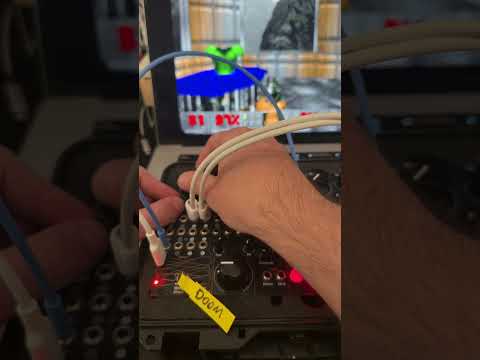
The full shareware DOOM (via kilograham's rp2040-doom) as a program card, played standalone from the panel — no screen needed. The stereo audio outs carry the game mix with enemies panned left/right, and the soundtrack itself swells and pans toward the nearest enemy: a beacon you hunt by ear. The LEDs are an enemy radar, CV outs track health and ammo, pulse outs fire on shots and damage, and the game starts at a random E1 level with a spawn director keeping one enemy within earshot. An optional web display (Chrome, WebSerial over USB-C) streams the actual 320x200 game video onto a CRT-styled screen, with level warp, volume and sensitivity settings (saved to the card), and classic cheat codes. The game never depends on the page.
Panel
 TurnMoveWeaponMusic ReplaceShot GateTurnMoveFireUseGame Audio LGame Audio RHealthAmmoShotDamage
Controls
Turn
Analog turn rate, centre = straight ahead
Move
Forward / back, centre = stop
Weapon
Selects weapon 1-7; fires one confirmation shot after each change
Auto-aim: View tracks the nearest enemy and doors open automatically (latched)
Manual aim: Normal play
Fire: Fire the current weapon (momentary); after death, respawns (automatic after 10s)
Inputs & Outputs
Inputs
Outputs
Inputs
Music Replace
When patched, replaces the game soundtrack (same enemy-beacon panning applies)
Shot Gate
When patched, gates open for ~0.7s on every shot you fire, replacing the gunshot sample
Turn
Bipolar turn rate, sums with the Main knob
Move
Bipolar forward/back, sums with the X knob
Fire
Fire trigger — sequence your trigger finger
Use
Open doors / press switches
Outputs
Game Audio L
Game mix left — sound effects panned by enemy position, music swelling toward the nearest enemy
Game Audio R
Game mix right
Health
Player health, 0-5V
Ammo
Ammo of the current weapon, 0-5V
Shot
Trigger when the player fires
Damage
Trigger when the player takes damage
LEDs
Enemy far, bearing left
Enemy radar: rows show distance to the nearest enemy (bottom = close), columns show bearing (both lit = ahead, all dim = behind you). All LEDs slow-blink when dead, chase pattern in attract mode.
Enemy far, bearing right
Enemy mid, bearing left
Enemy mid, bearing right
Enemy close, bearing left
Enemy close, bearing right
README
The easiest way to get the card is the Program button on this page:
connect USB-C, remove the program card, press the boot/reset button on
the Computer Module, insert a blank program card (2MB is ok) and press
Program — it flashes straight from the browser (Chrome). The .uf2
download also works, by drag-and-drop onto the RPI-RP2 drive or with
picotool (heads-up: macOS Finder sometimes truncates large UF2 copies —
the browser flasher avoids that).
The game boots straight into a random E1 level. Everything is playable from the panel; the web display is optional eyes. Music and effects volume and control sensitivity are set from the web page and can be saved to the card.